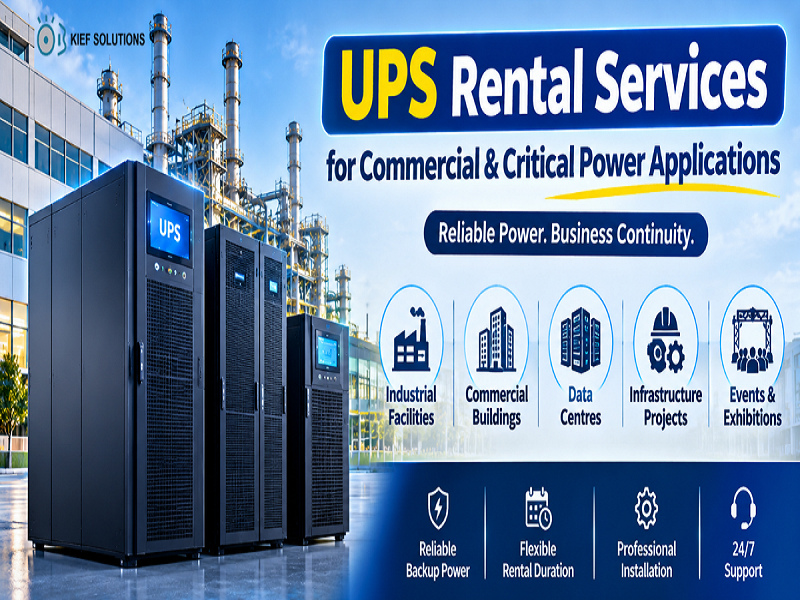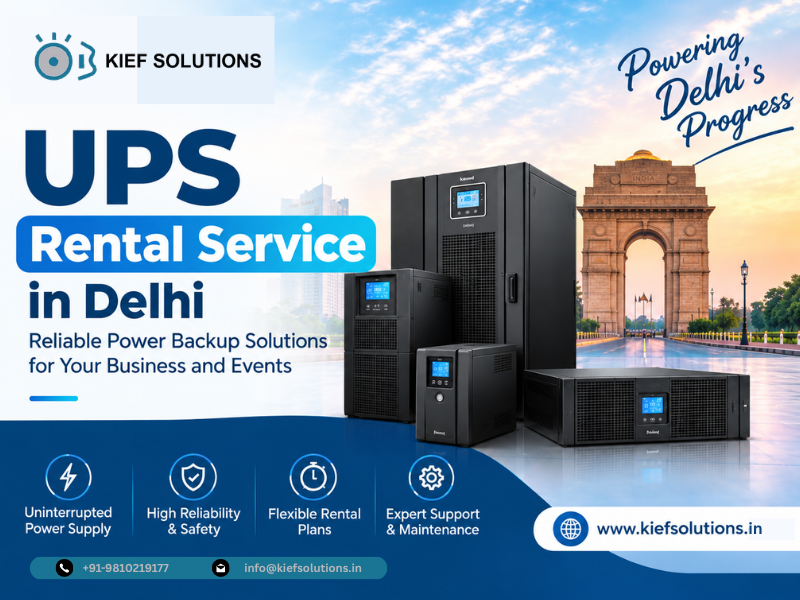
Corporate UPS rental provides backup power for office computers, servers, workstations, networking equipment and communication systems. Renting a UPS helps businesses manage power interruptions, office relocation, IT upgrades and temporary infrastructure requirements without purchasing equipment. Selecting the right capacity depends on connected load, equipment sensitivity and backup duration.
Modern offices need power to keep things running each day. Workstations, servers, network gear, communication systems and security equipment all rely on it. A sudden outage can stop business functions at once.
Even a short outage may halt work in progress, block access to business data, cut off communication systems or cause delays. Power swings and electrical disturbances can also harm electronics.
Some businesses need backup power but do not want to buy a full UPS system. For them, renting a UPS for needs is a practical answer. Corporate UPS rental gives long-term backup power. The choice depends on office size, the equipment connected, power needs and how long the rental lasts.
This guide explains how corporate UPS rental helps offices, servers, workstations and key IT infrastructure. It also covers the benefits of renting a UPS and how to pick the capacity for your business.
Why Corporate Offices Need UPS Power Backup
Corporate offices run electrical and electronic systems at the same time. Employees use computers, laptops, internet access, business software, communication tools and shared systems every day.
When power goes out, these activities can be disrupted. This can hurt productivity, especially if important devices do not have power.
A UPS system keeps power flowing to equipment during outages. It also protects against power problems, like surges or voltage drops, depending on the type and setup of the UPS system.
Common Office Equipment Requiring Backup Power
- Desktop computers and workstations
- Servers and storage systems
- Routers, switches and networking equipment
- Wi-Fi and communication systems
- Video conferencing equipment
- Security cameras and monitoring systems
- Access control systems
- Office automation equipment
- Business-critical electronic devices
The required UPS capacity depends on which equipment needs backup, its electrical load and the required backup duration.
What Is Corporate UPS Rental?
Corporate UPS rental is a power backup service. In this setup, businesses rent UPS equipment for their offices, IT infrastructure, workstations, server rooms and other critical operations.
A business can get the equipment it needs for a period instead of buying a UPS system. This kind of arrangement can work well for office setups, infrastructure upgrades, office expansion, planned maintenance, emergency needs or longer-term backup needs.
Depending on the arrangement, services may include:
- UPS equipment selection
- Delivery and installation
- Electrical setup
- Battery configuration
- Testing and commissioning
- Technical assistance
- Maintenance support during the rental period
UPS rental helps businesses get suitable power backup equipment. It also helps them avoid the cost of buying a new system.
UPS Rental Applications in Corporate Offices
Corporate UPS rental can support several business functions, depending on the connected load and equipment configuration.
1. Office Workstations and Computers
Employee workstations are essential for daily business activities, including accounting, administration, customer service, sales, design, data entry and project management.
A power interruption can cause employees to lose unsaved work, interrupt applications and affect productivity.
A suitable UPS rental system can provide backup power to selected workstations, allowing employees to continue working temporarily or save their work and shut down systems safely, depending on available backup capacity.
2. Server Rooms and IT Infrastructure
Server rooms hold business systems, data storage devices, application servers, networking gear and other technology that keep operations running. If power goes out, it can disrupt access to apps, internal systems, data services and communication tools.
Corporate UPS rental can help support:
- Application servers
- Database servers
- Storage equipment
- Network switches
- Routers and gateways
- IT infrastructure
- Business communication systems
For server rooms, the UPS capacity must be carefully planned. This includes checking the connected load, understanding the power needs of each piece of equipment, considering redundancy setups and deciding how long the backup power must last.
3. Networking and Internet Connectivity
Reliable networking is important for cloud applications, online meetings, internal communication, remote access, customer support and business operations.
Power interruptions affecting network equipment may disconnect employees from essential systems.
A UPS rental solution can provide backup power to networking devices such as routers, switches, communication equipment and other selected network infrastructure.
4. Video Conferencing and Communication Systems
Corporate offices frequently conduct online meetings, client discussions, virtual presentations, team meetings and remote collaboration sessions.
A power interruption can disconnect video conferencing systems, communication equipment and supporting network devices.
UPS backup can help maintain power to selected communication equipment during electrical interruptions, depending on the installed capacity and configuration.
5. Security and Access Control Systems
Office security infrastructure may include surveillance cameras, access control devices, security monitoring equipment, alarm systems and network-based security components.
Depending on the installation, UPS backup can help keep selected security systems operational during power interruptions.
Businesses should identify which security devices require backup and calculate their combined electrical load before choosing the UPS system.
Benefits of UPS on Rent for Corporate Offices
Renting a UPS system can provide several operational and financial benefits for corporate businesses.
1. Avoid High Initial Equipment Investment
Purchasing a high-capacity UPS system requires an initial investment in equipment, batteries, installation and supporting infrastructure.
UPS rental allows businesses to obtain backup power equipment without purchasing the complete system upfront. This can be useful when power backup is required for a temporary project, office expansion or specific operational period.
2. Flexible Rental Duration
Corporate power backup requirements may vary from a few days to several months or longer.
Rental solutions can be considered for:
- Temporary office locations
- Office relocation
- IT infrastructure upgrades
- Planned electrical maintenance
- Server migration
- Temporary facility expansion
- Emergency backup requirements
- Additional power capacity
The rental duration can be discussed according to the project and equipment requirement.
3. Support During IT Infrastructure Upgrades
Businesses upgrading their servers, networking systems or electrical infrastructure may require temporary power backup during the transition.
A rented UPS system can help support critical equipment while permanent power infrastructure is being installed, upgraded, tested or maintained.
4. Reduced Equipment Ownership Responsibilities
Renting equipment can reduce the need for businesses to purchase, store and manage backup power equipment for temporary requirements.
Depending on the rental agreement, equipment delivery, installation, testing and technical support may also be included.
5. Suitable for Office Expansion
When businesses expand their workforce or add servers, computers and networking infrastructure, existing UPS capacity may become insufficient.
UPS rental can provide additional power backup capacity while the company evaluates long-term infrastructure requirements.
6. Access to Different UPS Capacities
Corporate offices may require different UPS capacities depending on the size of their IT infrastructure and electrical load.
Rental arrangements allow businesses to discuss suitable equipment configurations based on their actual requirements instead of purchasing a fixed-capacity system without proper assessment.
How to Select the Right UPS Capacity for a Corporate Office
Selecting the correct UPS capacity is one of the most important steps in arranging corporate power backup.
A UPS that is too small may not support all connected equipment, while an unnecessarily large system may increase rental costs and infrastructure requirements.
Step 1: Prepare an Equipment List
List all equipment that requires backup power.
For example:
|
Equipment |
Quantity |
Backup Requirement |
|
Desktop computers |
As required |
Selected workstations |
|
Servers |
As required |
Critical IT infrastructure |
|
Network switches |
As required |
Office connectivity |
|
Routers |
As required |
Internet connectivity |
|
Storage systems |
As required |
Business data |
|
Communication systems |
As required |
Business communication |
|
Security equipment |
As required |
Monitoring and access |
Step 2: Calculate the Connected Load
Determine the electrical load of all equipment that will be connected to the UPS.
Use actual equipment power ratings or measured loads wherever possible. The total load calculation should also consider the equipment's power characteristics and any future capacity requirements.
Step 3: Determine the Required Backup Duration
Businesses may require different backup times depending on their operating requirements.
Some offices need enough time to save files and shut down systems safely. Others require longer backup periods to continue operating while a generator starts or while the main supply is restored.
The required backup duration affects the battery configuration and overall UPS arrangement.
Step 4: Consider the UPS Type
Online UPS systems are commonly preferred for sensitive IT infrastructure and critical equipment because they provide continuous power protection through their designed conversion process.
The appropriate UPS type depends on equipment sensitivity, power quality requirements, load configuration and operational priorities.
Step 5: Plan for Future Expansion
If the office plans to add more workstations, servers or networking equipment, consider the future load when selecting the rental system.
Discuss the potential requirement for additional capacity or a different UPS configuration before finalising the arrangement.
Corporate UPS Rental for Different Business Sizes
UPS requirements vary depending on the number of employees, office infrastructure and critical equipment.
|
Business Environment |
Typical Backup Requirements |
|
Small office |
Computers, routers, communication equipment and essential workstations |
|
Medium-sized office |
Multiple workstations, network infrastructure, shared systems and selected servers |
|
Large corporate office |
IT infrastructure, server rooms, networking equipment, security systems and critical office operations |
|
Data-intensive office |
Servers, storage systems, network infrastructure and business-critical applications |
|
Temporary office |
Essential computers, internet connectivity, communication and selected equipment |
The UPS capacity should be determined through a proper load assessment rather than office employee count alone.
Corporate UPS Rental During Office Relocation and Expansion
Moving an office or growing it can bring short-term needs for power.
While you relocate, your team might work from a spot until the permanent wiring is ready at the new place. In the way, adding more servers or new desks can call for more backup power than your current setup can give.
Renting an UPS can help with:
- Moving the office
- Short-term office spaces
- Setting up new desks
- Growing the server room
- Upgrading the network
- Electrical upkeep
- Testing equipment
- Short-term plans to keep the business running
A rented UPS system lets you plan these changes and still keep backup power for the key gear you choose.
Corporate UPS Rental for Server Migration and IT Projects
Server migration, data centre upgrades and infrastructure replacement projects require careful power planning.
During these projects, businesses may temporarily operate old and new systems simultaneously. Additional UPS capacity may be required to support equipment during installation, testing, migration or commissioning.
UPS rental can be considered for:
- Server migration
- Storage system replacement
- Network infrastructure upgrades
- Data centre maintenance
- IT equipment testing
- Temporary server room expansion
- Infrastructure commissioning
The capacity and configuration should be planned according to the actual equipment load and project schedule.
Why Choose KIEF Solutions for Corporate UPS Rental?
KIEF Solutions provides UPS rental and temporary power backup solutions for corporate offices, server rooms, IT infrastructure, industrial facilities and other critical applications.
Businesses can discuss their connected load, application, rental duration, location and required backup capacity to identify a suitable UPS rental arrangement.
Corporate UPS Rental Solutions
KIEF Solutions provides UPS rental options across different capacities, including systems suitable for office environments, IT infrastructure and higher-load corporate applications.
Depending on the requirement, rental solutions may include:
- UPS capacity assessment
- Equipment selection
- Delivery and installation
- Testing and commissioning
- Battery configuration
- Technical support
- Temporary and longer-term rental options
UPS Rental for Servers and Workstations
Corporate UPS rental solutions can be arranged for selected servers, workstations, networking equipment, communication systems and other critical electronic devices.
The required UPS capacity depends on the combined connected load, equipment specifications, backup duration and system configuration.
Flexible Power Backup for Corporate Requirements
Businesses may need temporary power backup for maintenance, infrastructure expansion, server migration, office relocation or emergency requirements.
KIEF Solutions provides rental-based power backup options for businesses that need to arrange suitable equipment without purchasing a complete UPS system.
By discussing the application and power requirements, businesses can identify a UPS configuration that supports their critical office equipment and operational priorities.
Conclusion
Corporate offices rely on computers, servers, workstations, networking infrastructure and communication systems to keep operations running smoothly. When power goes out, it can disrupt productivity, break connections and stop business tasks.
UPS rental offers a solution for offices that need backup power for a short time or for a longer period without buying a full UPS system. It can power office workstations, servers, networking gear, security systems, IT. Support office expansion or relocation projects.
Choosing the UPS means checking the total load, how sensitive the equipment is, how long the backup needs to last, how the UPS will be set up and the conditions where it will be installed.
KIEF Solutions offers UPS rental and temporary power backup services for offices, servers, workstations and critical business infrastructure. Companies can talk about their needs to find the UPS capacity and rental plan that fits their operations.